 TYPE STONE
Adventure guide
Screen layout and controls
Type English or Japanese romaji to defeat enemies, choose rewards, and move to the next stage. Play requires a desktop browser and a physical keyboard. Rankings and catalogs can also be viewed on phones and tablets. Start by learning where to look on the screen.
Difficulty differences
Choose Normal or Easy on the home page.
Normal:Standard battles.
Easy:Enemy attack intervals are 1.5 times those in Normal, and incoming attack damage is 70%, rounded up. Prompts, HP, and rewards are the same.
The Daily Challenge always uses Normal difficulty.
Battle screen
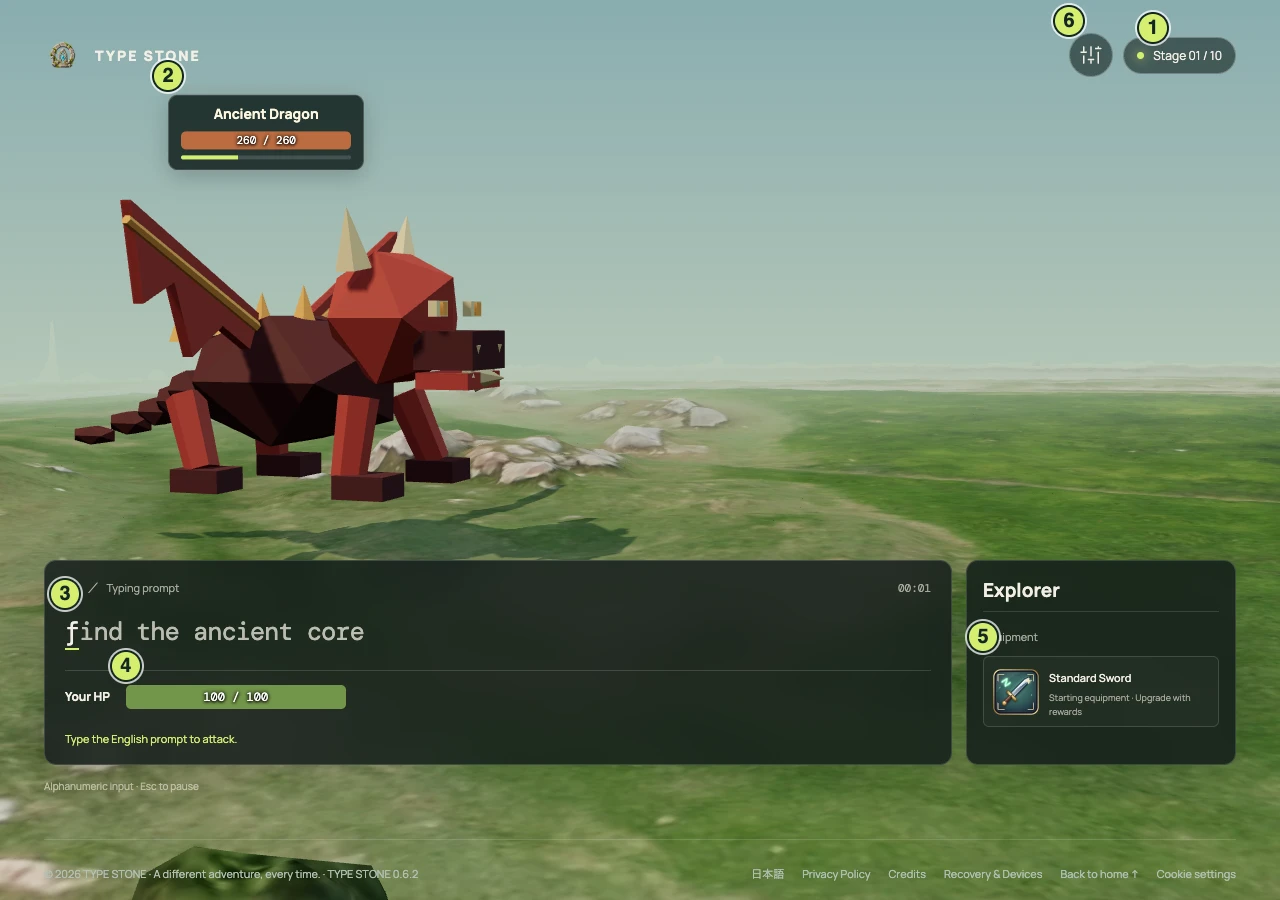
- Stage
Shows the current stage and the total stages needed to clear the expedition.
- Enemy name, HP, and attack progress
The labels above an enemy follow its movement. HP shows current / maximum values. The enemy attacks when the bar below fills up.
- Typing prompt and elapsed time
In English mode, type spaces, capital letters, and punctuation too. In Japanese romaji mode, use the Japanese text and kana readings to type in romaji. The guide adapts to the spelling you enter. Typed characters turn amber, and completing a prompt launches an attack. The timer at the upper right advances only during battle.
- Player HP
The HP bar below the prompt shows current / maximum HP. Taking damage reduces it. Reaching zero ends the expedition.
- Equipment and effect notifications
Your player name and current equipment appear here. When an equipment effect activates, its name and effect briefly appear in the upper-right corner.
- Audio settings
Use the settings icon at the upper right to turn music and sound effects on or off and adjust their volume.
HIT / COMBO / MISS
Your first correct keystroke shows HIT. From the second character, COMBO appears with a count. Incorrect input shows MISS and resets the combo to zero. Mistyped characters are not entered, so simply type the correct key again.
Controls
- Starting an expedition
- Enter your player name and choose an input mode on the home page, then select "Play". Select "Start expedition →" to begin battle after a 3, 2, 1 countdown.
- In battle
- Turn off your IME and type English or Japanese readings in romaji from anywhere on the screen. Alternative spellings such as shi/si are supported. Confirm a final syllabic n with nn or n'. Typing speed, accuracy, and combos affect attack damage.
- Esc
- Pause or resume. While paused, you can review HP, enemy status, equipment, and the battle log. You can also select "Resume →". Switching to another tab pauses the game automatically.
Equipment combinations and bosses
The Critical Charm doubles your next attack after three consecutive prompts without mistakes. A mistake resets its progress. The Poison Needle applies stacking poison on attacks, dealing damage once per second. Poison stacks up to three times and lasts six seconds; another attack refreshes its duration. Thorn Armor counterattacks when you are hit. The Blade of Resolve strengthens critical hits, the Venom Resonance Stone boosts poison damage, and the Echo Talisman strengthens thorn counterattacks. The Cursed Sword increases attack damage by 50%, but each mistake costs 2 HP.
In a 10-stage expedition, the Ruins Gatekeeper appears at stage 5. Every third attack is a telegraphed heavy attack dealing double damage. Complete a prompt without mistakes during the warning to halve that attack. The final boss, the Core Warden, appears at stage 10 and enters a stronger second phase at half HP or below. Poison and attacks stop while paused. Critical progress carries between stages; poison and heavy-attack windups reset each battle. Local play also includes all 10 stages and both bosses.
Reward selection screen
After defeating an enemy, choose one of three rewards or select "Skip reward" to continue with your HP and equipment unchanged. Current HP, equipment, and effects appear above the choices. Each choice shows "Current equipment → New equipment" and the effects you will lose. Review the replacement before choosing. The selected card's border and background brighten, and the equipment it replaces is highlighted.
- W / A / ←
- Move to the previous reward
- S / D / →
- Move to the next reward
- Space
- Confirm the selected reward and enter the next battle
- Click / tap
- Confirm the reward you click or tap. Tab also moves between cards.
Equip one weapon, one armor piece, and two accessories. Weapons and armor are replaced; the oldest accessory is replaced first. Recovery items are used immediately when selected. The final stage has no reward selection.
Daily Challenge
A 10-stage adventure with shared conditions for everyone that day. Difficulty is always Normal, regardless of the home page selection. Choose your input mode, then start with the light-blue "Daily Challenge" button. English and Japanese romaji results are ranked separately.
The challenge changes at midnight Japan time. Enemy and prompt random sequences are shared for the same day. Reward choices vary with the equipment you selected earlier. You can retry as often as you like.
The public daily ranking shows your best published result for the day. Results belong to the date the run started and must be saved within 24 hours of starting. Starting a daily run requires a server connection.
Clear and defeat effects, and the results screen
Clearing every stage displays "Expedition Cleared!" and your final score. Reaching 0 HP displays "Defeat" and your score. After either animation, select "View results →" to open the results screen.
The results screen shows score, rank, typing speed, accuracy, maximum combo, mistakes, and remaining HP. You can also review each stage's rewards, final equipment, and battle logs.
Stage scores are cumulative at the time of each enemy's defeat. The final score includes the clear bonus.
Choose a goal for your next adventure
Start with one goal instead of trying to improve everything at once.
- Accuracy: If mistakes held you back, focus on typing correctly rather than quickly in your next run.
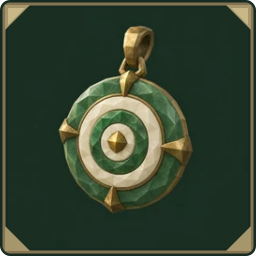 Equipment to tryAccuracy Charm
Attack damage +20% at 98% accuracy or higher
- Maximum combo: Aim to connect more correct keystrokes than last time. Your combo continues across prompts and enemies.
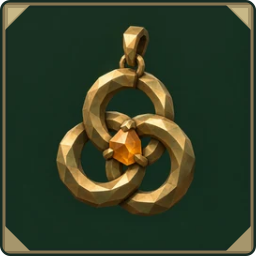 Equipment to tryCombo Charm
Attack damage +20% at a combo of 5 or more
- Stage reached and equipment: Review how far you got and which rewards you chose. Try healing or defensive equipment in your next run.
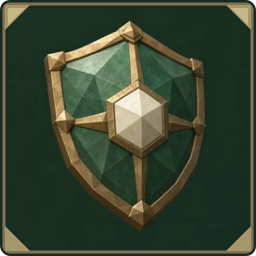 Equipment to tryShield of Focus
Damage taken from enemies −25%
If these items appear among your rewards, try choosing one that matches your goal.
Compare runs with the same input mode, difficulty, and configuration version. Enemies and rewards also affect the outcome, so your score alone does not tell the whole story of your progress.
Configuration versions and rankings
A configuration version identifies differences in the game settings used for an expedition, such as enemy strength, equipment effects, and prompts. Results earned under different settings are shown separately because the conditions differ.
Current settings shows results using the current settings. All versions also includes results from past settings. Rankings for language, difficulty, and practice or normal runs are always separate.